Smartphone Touch Screen Not responding? 4 Ways To Solve It

What is a touch screen? Understand the structure of the display
Touch panels are roughly divided into two types: resistive and capacitive.

A resistive touch panel is a touch panel that responds to a so-called “pressing force” and responds by pressing with a pen or a finger. It is used in game consoles.

Moreover, the capacitive method has been used in many smartphones. This is a touch panel that responds to electricity. In short, the screen of a smartphone is covered with static electricity, and the sensor reads the touched position by touching it with a finger. Instead of touching the screen, it touched the static electricity that covered the screen.

In other words, just because a smartphone’s touch panel is not responding, it is difficult to force it in (wrong) or hit (knock). It is necessary to find out the cause of static electricity.

no respond! Think about how to deal with individual cases
1. Suspected fingers are dry!
Your fingers are barely visible, but sweat and water vapor are secreted. As a result, fingerprints remain on the objects you touch, and the touch panel responds by providing static electricity. However, if your finger is too dry, it may not respond because it does not conduct static electricity on the touchpad. The solution is to wet your fingers.

Even if you say your fingers are wet, operating with a dripping finger can cause malfunctions, so this is medium. Yes, it is enough to wet your fingers with a towel. No towels! In this case, you can press your finger on your finger.

It’s really easy to isolate this symptom and let others touch it. If other people are responding instead of themselves, it may be the cause.

2. Is the screen dirty?
If the screen is dirty, the sensor may not be responding, or the dirty part may be considered a touch and the response is incorrect. The display of your smartphone is dirtier than you think, so please clean it up.

Recent smartphones use hard glass with high scratch resistance, such as Gorilla Glass. Therefore, it is less likely to wipe with a suitable material, such as a T-shirt or tissue paper. However, it is an important smartphone and I want to avoid wearing T-shirts as much as possible.

Ladies and gentlemen think they are holding handkerchiefs, so at least there. And, if you are concerned about how easy it is to remove dirt, wipe it gently with a dirt-conserving material such as eyeglass cloth or a suitable smartphone cleaner.

Isn’t the smartphone so dirty? If you think so, put it on your ears in a speech and then look at the screen. …That it?

3. No protective paper attached?
As the screen becomes larger and the exposed area increases, smartphone protection boards and protective glasses are essential. Their basic design makes them less sensitive to touch, even when worn. However, when used for a long time, some parts may fall or become dirty, which may interfere with normal touch.

It’s easy to determine, just peel off the protective film, wipe the screen clean, and try again. It takes courage to peel off the protective film, but cutting in is important.

How much battery power is best for charging?

In the previous era of nickel batteries, mobile phones did charge better at lower power. However, the current mobile phone batteries are lithium batteries, and a full charge and discharge will damage the mobile phone battery, causing problems such as the slow charging battery life. Therefore, in the era of lithium batteries, it is best to keep the phone’s power above 50%. Once it is lower than this, it is time to charge the phone!

Will mobile power damage the phone?
In fact, as long as it is not low-battery charging, there is nothing wrong with the phone! However, when the power is low, charging with a mobile power supply will cause excessive power consumption and shorten the battery life.

Would you like to charge your phone with a computer?

Sometimes it ’s true that you can use your computer to charge your phone. However, will this phone break? In fact, charging with a computer USB will reduce the charging speed and even cause unstable voltage. If there is no way, don’t use a computer to charge.

Is there a problem with overcharging the phone?

Generally speaking, today’s lithium batteries have safety protection circuits and many safety settings, which are sufficient to ensure that the battery’s circuit is automatically cut off when excessive heavy discharge occurs. However, continuing to charge the battery after it is fully charged will keep the battery in a fully charged state, which will speed up the loss of battery capacity and reduce battery capacity. Therefore, it is best to unplug after filling.

How to repair the power adapter

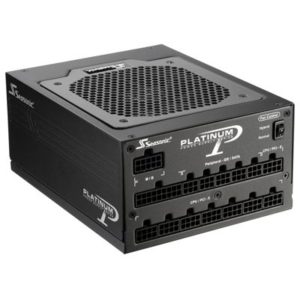
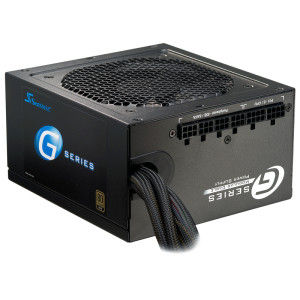
1. If there is a problem with the original adapter, it cannot be repaired. As long as the output voltage and output are approximately equal, other adapters can be used instead. There is also a voltage regulator circuit inside the laptop to provide protection. Don’t worry too much about the output voltage mismatch. The first step in repair is to prepare the tools. A multimeter, screwdriver and welding tools are required.

2. The power adapter has four plastic covers. Do not damage the adapter case. Damage to the housing increases electromagnetic radiation and stabilizes the machine. If the case is damaged, repair it. If the external power is not connected during the removal process, try connecting the battery. If the machine starts successfully, there may be a problem with the power cord or adapter. After opening the housing and opening the shield, it is best to check the solder feet first and visually observe them. The circuit is intermittent and has poor contact. Then use a multimeter to check the power cord for problems and simplify maintenance.

3. If the resistor pins are found to be soldered during the test and soldered with a welding tool, reconnect the power adapter and start the test, and the problem will be resolved. If there is a problem with the capacitor during the test, please note that you can buy a capacitor of the same model and capacity, then solder the faulty capacitor and solder a new capacitor. If you find a problem with the IC power chip, you can use the same method to solve it. Of course, capacitors are too complicated, because IC chips can be said to be one of the most important electronic components in power adapters.

As shown in Figure 4, current power adapters have a large number of repaired components, so if a component fails, the use of an optional power adapter during the repair process makes maintenance more difficult. As adapter power increases daily, testing of electronic components continues to grow. Low-quality electronic components used in power adapters and incorrect PCB wiring can increase the possibility of failure. Therefore, buying a high-quality power adapter is very helpful to the stability of the laptop.

5. Check whether the resistance and inductance of the capacitor are correct. If there are bumps on the capacitors, replace them immediately to avoid any potential danger.

FAQ – Samsung Galaxy Gear S3 SmartWatch

1. Gear S3 flashes red, the watch does not respond, and the screen does not turn on.
Cause: Usually the hardware is damaged.

2. The charging head is hot and will consume power immediately
Cause: There is usually a problem with the system version. You might consider downgrading the system version. The recommended version is QH1.

3. The watch has penetrated into the water and the bezel has broken.
Solution: Turn off the power immediately. Do not use a hair dryer to blow dry or disassemble the watch to dry it.

4. Since the watch has not been used for some time, it cannot be charged after turning off the power. This screen does not appear while charging.
Cause: The charging IC may have entered a protection state. The battery may be over discharged.

5. How does s3 change my original Samsung ID?
Connect the phone. The phone has Gear software to release the ID.

6. What type of drive is used to remove the S3 watch?
Y screwdriver

7. One of the keys on the watch is broken and cannot be used.
Solution: Replace the button cable

8. There is a problem with the power button on the watch. After the connection is complete, the power cannot be turned on and the battery is fully charged. However, the clock does not turn on after pressing the power button. You can reopen it later. what is the reason
The power IC is shorted, the battery is damaged or even the system version.

9. Watermark spots appear on watch screen
Cause: Clock screen is squeezed

10. Monitoring sensor failure
Solution: Downgrade system version or replace motherboard

11. The watch cannot be charged
Cause: Degraded battery or short circuit on motherboard IC

12. The watch keeps restarting
Cause: The system file is damaged or the hardware is faulty.

13. What is the diameter of the waterproof seal on the back cover?
Approximately 30 in diameter

14. Can the watch’s back cover be repaired?
Yes, you can change the watch case.

15. All the sensors on the watch suddenly broke down, raised my hand, and could no longer calculate my heart rate and steps. Reset, clear, downgrade and upgrade are all invalid. “FAIL” is displayed on the watch self-test sensor, and the data is 0.
Cause: The hardware is damaged.

16. The watch was soaked in sea water
Solution: We recommend that you send to a repair shop.

17. Less than half a day after the watch is fully charged, is the remaining power less than 40? You cannot hear songs without Bluetooth.
Criterion for measuring whether the battery is normally lost: For full-link phones, the screen is always on. If it can be maintained for more than 24 hours, there is no need to replace the battery. Conversely, if the battery leaks severely, you need to replace it with a new one.

Lenovo Computer Adds “Ink Screen” -2020CES

At the CES2020 International Consumer Electronics Show, Lenovo showed off a ThinkBook laptop with an e-ink screen. When the notebook is closed, the external e-ink screen can be used as a notebook.

974b62c571564075be4943f22276b04e - Lenovo Computer Adds "Ink Screen" -2020CES

The laptop with an ink screen is called ThinkBook Plus, and the e-ink screen is 10.8 inches. Lenovo designed it so that people can use this laptop as a notepad when they are busy between meetings.

This electronic ink screen can also display calendar time, weather and other information, which is more convenient than pulling out a smartphone to find it. When the notebook is opened, sensitive data information will be hidden to ensure that important information of the user is not leaked.

For ease of use, Lenovo also equipped this laptop with a stylus that can sync to Microsoft OneNote notes. According to the usual experience, the refresh rate of this electronic ink screen is very slow, but according to foreign media, the screen response speed of ThinkBook Plus is pretty good. Lenovo points out that a small part of the screen can refresh much faster than the entire screen at a time. Although it is not up to the level of a Wacom tablet, it works better in some cases where it is not suitable for a laptop.

In addition, the external screen can also be used as an e-reader because of the Windows Kindle application that comes with the system. Although 10.8 inches is not an ideal reading size, it is better than reading on a notebook screen.

There are currently no complete specifications for ThinkBook Plus. What you can understand is that this laptop has a 13.3-inch home screen with a resolution of 1080P and a relatively narrow border (except of course the bottom border). The power key also integrates a fingerprint recognition module, the casing is made of aluminum alloy, and the keyboard is the same as imagined.

ThinkBook Plus will be available in March 2020, starting at $ 1,199. This is a lot more expensive than Lenovo’s other ThinkBook products. But don’t forget that it has a unique electronic ink screen.